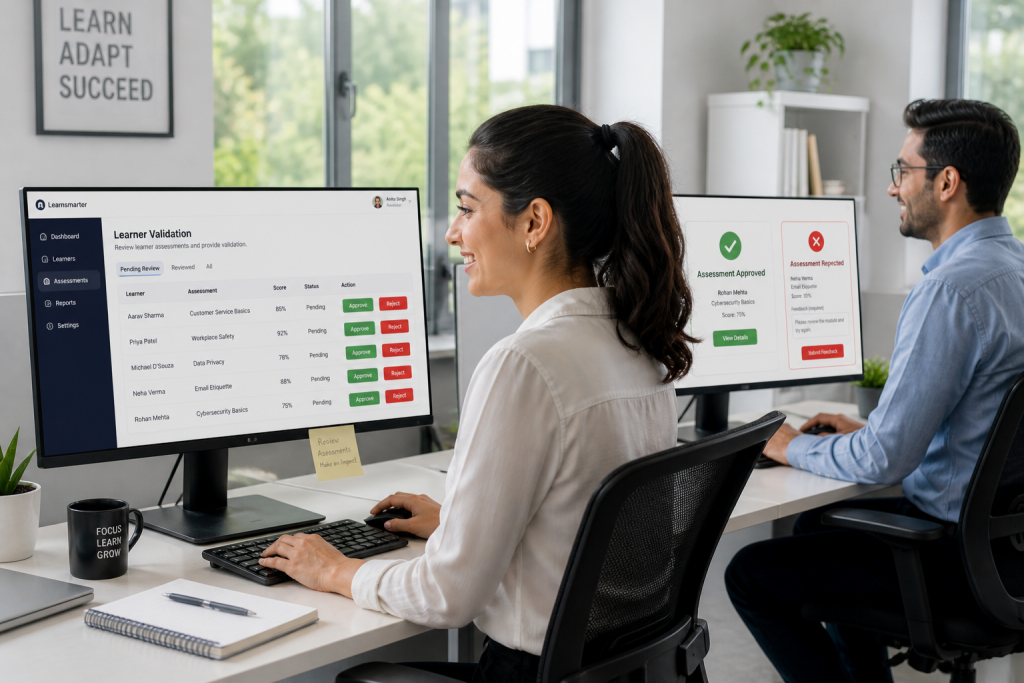
To drive true business impact, your training platform must do more than track clicks—it must verify competence. With a Salesforce native LMS, your organization can bridge the gap between “learning” and “doing” by capturing real-world evidence directly within your CRM. This deep integration ensures that every assessment, file upload, and approval remains part of your single source of truth, providing the data integrity and seamless user experience that third-party integrations simply cannot match.
In any modern learning environment, validating learner progress goes beyond simple course completion. Organisations often require learners to demonstrate applied knowledge through evidence-based submissions. This is where the Assessment feature in Learnsmarter plays a key role. Delivering Assessments as a learning item within the Salesforce native LMS, means they can be assigned directly to a user or contact and accessed through the Experience Cloud site. This ensures a seamless learner journey while keeping all activity within the Salesforce ecosystem.
Flexible Evidence Submission for Practical Skill Validation
Assessments are designed to capture real-world proof of learning. Administrators can define the number of files or videos that must be submitted as evidence. This flexibility allows organisations to tailor assessments based on specific training requirements. Learners can upload a wide range of file formats including PDF, audio, text files, Word documents, Excel sheets, CSV files, and images. This ensures compatibility across different types of learning scenarios, from compliance documentation to practical skill demonstrations.
Structured Review and Approval Process within Salesforce
A key strength of the Assessment feature is its configurable review workflow. Depending on organisational needs, the process can be set up as either a single-stage or a two-stage approval flow. In a single-stage process, an approver reviews the submitted evidence and either accepts or rejects it, providing feedback through rich text comments. This is ideal for straightforward validation scenarios.
For more controlled evaluation, a two-stage process introduces both an assessor and an approver. The assessor performs the initial review, ensuring that the required number of files or videos has been uploaded and that the submissions meet the expected criteria. The assessor can then either reject the submission with feedback or approve it for final review. The approver completes the process by making the final decision. This layered approach supports governance, accuracy, and consistency in learner evaluation.
Clear Feedback and Resubmission for Improved Learning Outcomes
From the learner’s perspective, transparency is critical. Within the Experience Cloud site, learners can view detailed feedback provided by the assessor or approver when a submission is rejected. This enables them to understand exactly what needs to be corrected. Learners can then update and resubmit their evidence, creating a continuous improvement loop that reinforces learning outcomes rather than simply marking completion.
Salesforce Native LMS Integration and Reporting
As part of a Salesforce native LMS, Assessments in Learnsmarter integrate naturally with standard Salesforce features, user management, and reporting capabilities. This allows organisations to track learner progress, monitor assessment outcomes, and maintain a complete audit trail without relying on external systems.
Driving Meaningful Learning Outcomes
Assessments in Learnsmarter move beyond passive learning by enabling active validation of skills and knowledge. With flexible submission options, configurable approval workflows, and a transparent feedback mechanism, organisations can ensure that learning is not only completed but truly demonstrated.
Change the way you complete
Stop settling for passive completion rates. Start validating real-world skills directly within your CRM today. Book a demo to see how our Salesforce native LMS transforms evidence-based learning!