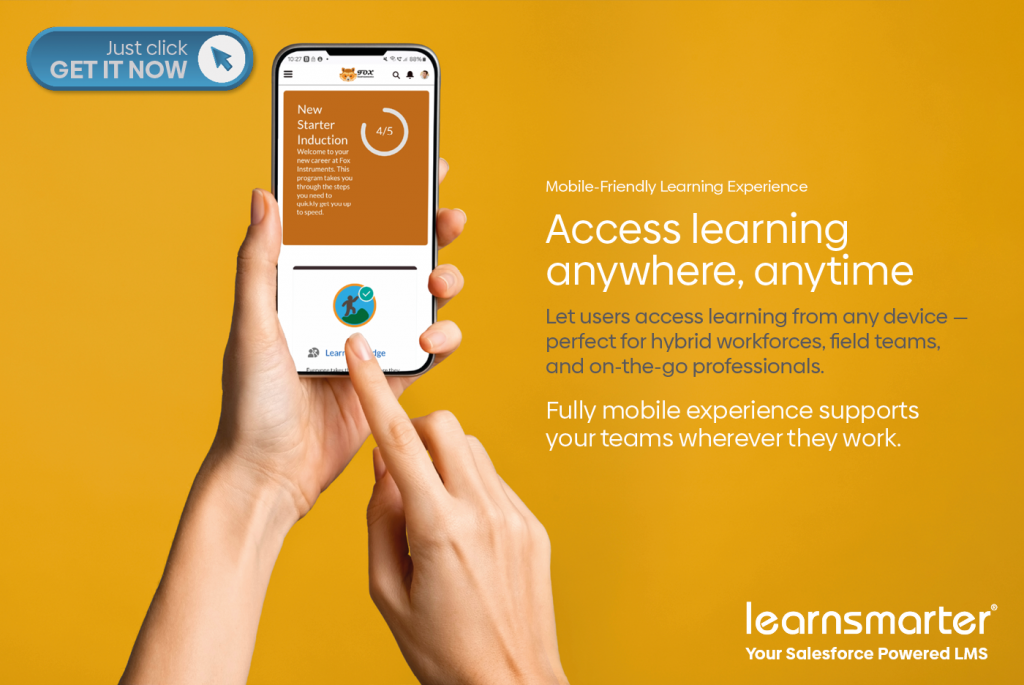
You shouldn’t have to tether yourself to a desk to swap a course trainer or check a schedule. In the era of the “borderless office,” your LMS needs to be as mobile as you are. By leveraging native Salesforce Mobile capabilities, Learnsmarter puts full mobile LMS administration control right in your pocket.
The Salesforce Mobile App has evolved significantly from its early days as Salesforce1, transforming into a powerful mobile-first platform for managing business processes anywhere, anytime. One compelling example of this evolution is the ability to run Learnsmarter as a Salesforce Mobile App, giving learning administrators the flexibility to manage training operations while on the move.
What once required heavy custom development for Salesforce1 can now be achieved using declarative tools like the Lightning App Builder and Dynamic Forms, making mobile learning management more accessible and maintainable than ever.
Beyond Salesforce: The New Era of Mobile LMS Administration
A few years ago, delivering mobile functionality for Salesforce meant building custom Salesforce1 pages. Developers had to invest significant time creating and maintaining mobile-specific interfaces.
Since then, Salesforce has undergone a major transformation:
- Salesforce1 has been rebranded as the Salesforce Mobile App (2022)
- Mobile Lightning Pages became available in Spring ’21
- Dynamic Forms for mobile became widely usable from Winter ’24 onwards
These improvements have fundamentally changed how apps like Learnsmarter can be delivered on mobile. Today, Learnsmarter can leverage these native capabilities to provide a streamlined, declarative mobile experience without extensive custom code.
Real-World Utility: The “Admin on the Go” Use Case
The Learnsmarter Mobile App is designed specifically for learning administrators who need to manage training operations outside of the office.
Scenario: Updating a course trainer on the go
Imagine this situation: A learning administrator is out shopping when they receive an urgent request – one of the trainers assigned to a course is unavailable and needs to be replaced immediately.
With the Salesforce Mobile App and Learnsmarter Mobile App, they can:
- Open the Salesforce Mobile App on their phone
- Use the App Switcher to select Learnsmarter Mobile
- Navigate to the relevant course record
- Update the trainer assignment in seconds
- Save changes instantly without needing a laptop
This is a practical example of mobile learning administration using Salesforce CRM, where critical updates can be made in real time.
Built for Speed: Lightning App Builder & Dynamic Forms
One of the biggest advantages of the modern Learnsmarter mobile experience is that it is now fully declarative.
Instead of custom-coded mobile pages, the app is built using:
- Lightning App Builder for mobile-specific page design
- Dynamic Forms for Salesforce Mobile App for flexible field rendering
- Standard Salesforce objects and components for maintainability
This approach reduces technical debt and allows administrators to adapt the mobile experience quickly as business needs change.
Admin Power vs. Learner Experience: Finding the Balance
It’s important to understand the role of the Learnsmarter Mobile App:
- It is not a replacement for desktop or laptop Salesforce usage.
- It is designed for quick, essential updates on the go.
- Complex configuration and reporting tasks are still best handled on desktop.
Instead, the mobile app focuses on high-value administrative actions, such as updating course details, changing trainers, or checking learning schedules. This makes it an ideal tool for mobile learning management system (LMS) administration within Salesforce.
Experience Cloud and Learner Access
While the Learnsmarter Mobile App is for administrators, learners interact with the system via:
- A Salesforce Experience Cloud site
- Mobile-friendly learning components
- Desktop or browser-based learning portals
This separation ensures administrators have powerful control tools while learners have a simplified experience. Organizations can extend this further using Salesforce Mobile Publisher to create branded apps for the App Store and Google Play.
5 Reasons to Move to Mobile-First Learning Administration
- Real-time learning administration: Immediate updates to courses and schedules.
- Reduced development effort: Use declarative tools instead of custom code.
- Improved operational agility: Respond quickly to staffing changes.
- Consistent Salesforce experience: Leverage familiar Lightning components.
- Scalable architecture: Support future enhancements through Experience Cloud.
The evolution from Salesforce1 to the Salesforce Mobile App has unlocked new possibilities for platforms like Learnsmarter. With modern tools, organizations can now deliver powerful mobile learning administration without heavy custom development. The result is a flexible, efficient, and truly mobile learning management experience.
Ready to untether your L&D team?
Experience the flexibility of a truly mobile-native LMS. Schedule a Demo to see how Learnsmarter simplifies administration on the move.